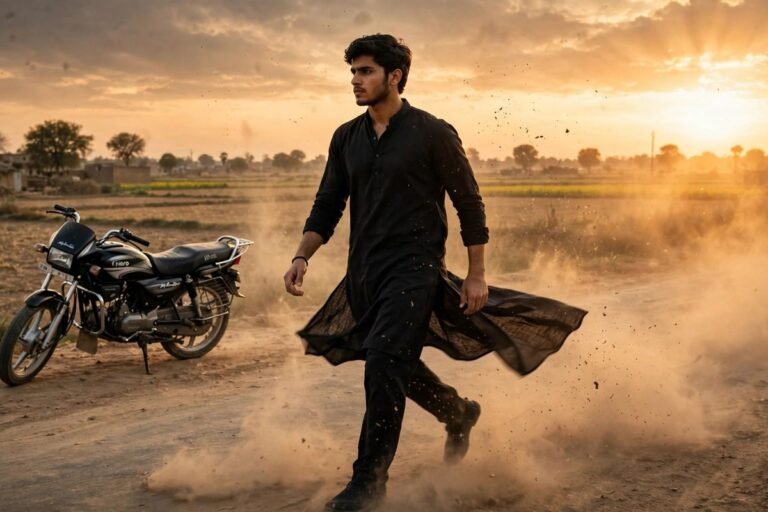

VN Template Codes for Fashion Reels: Chic, Runway-Style Edits Made Simple
Quick answer: VN template codes for fashion reels are short style labels that point you toward a ready-made editing look, such as a clean runway cut or a soft editorial fade. You pick the mood that matches your outfit, drop your clips into VN, and the template sets the pacing, transitions, and colour feel for you. The result is a polished, magazine-style reel in minutes, without learning complex editing from scratch.
Why Fashion Reels Need a Different Kind of Edit
A fashion reel is not a holiday video or a birthday montage. The outfit is the star, and everything else exists to show it off. If the cuts are too slow, the viewer gets bored before the second look appears; if they are too fast, the outfit becomes a blur and nobody can see the fabric, the fit, or the details. A good fashion edit finds the middle ground: quick enough to feel modern, slow enough to let each look land.
The setting matters too. A street-style reel shot on a busy pavement needs a different rhythm from a soft indoor lookbook filmed by a window. Outdoor clips often have stronger light and busier backgrounds, so the edit should stay calm and let the outfit stand out. A VN template helps because it already carries a pacing and a colour mood that fits one of these situations, so you are not guessing at every setting.
Colour is the third piece of the puzzle. Fashion footage looks best when the colours are clean and true to life: a cream coat should not turn yellow on screen, and a navy dress should not slide into black. Templates designed for fashion keep the colours honest while adding just enough polish to make the fabric look rich and the skin look natural.
What a VN Template Code Actually Does
Think of the code as a nickname for one finished look inside VN. Choosing it hands you a ready bundle: the cut points, the movement between shots, the light touches, and the colour mood, already arranged for you. Swap the sample footage for your own outfit clips, nudge the timing until it sits with your track, then save the result. After a single practice run, the whole job feels quick.
It helps to think of a template as a recipe rather than a finished dish. The template gives you the structure, but your clips, your outfit, and your music make the final reel yours. Two people can use the same template and end up with completely different videos, because the clothes, the location, and the way they move are different.
Important note: the codes in this piece are made-up style names, offered only so you can picture and pick an editing mood for an outfit reel. Nobody has checked them inside VN, and neither VN nor any template maker has issued them as real codes. Treat them as a pointer toward the look you want, then hunt through VN for a template with that feel. We do not store anyone else’s template files here, and this piece carries no download links at all.
Chic Style Labels to Try for Fashion Reels
Each label below names a popular fashion editing mood, matched to the kind of outfit it suits best. Use one as your first guess, then test a VN template in that spirit against your own footage before settling. That match is where the value lies: a loud, flashy edit would swamp a soft linen dress, while a slow dreamy fade would dull a bold street look.
- RUNWAY-01 — Classic Catwalk: sharp cuts on the beat, a slow push-in on each look, and clean neutral colours. Best for tailored outfits and evening wear.
- STREET-02 — City Stroll: relaxed pacing, gentle zoom-outs, and slightly warm tones. Best for denim, trainers, and everyday street style.
- EDITORIAL-03 — Magazine Fade: soft crossfades, low contrast, and a muted, elegant palette. Best for soft fabrics and quiet luxury looks.
- GLAM-04 — Evening Sparkle: quick flashes of light, a subtle glow, and richer colours. Best for party dresses and night-out outfits.
- MINIMAL-05 — Clean Lookbook: almost no effects, simple straight cuts, and true-to-life colour. Best for capsule wardrobes and neutral outfits.
- VINTAGE-06 — Retro Film: warm grain, slightly faded colours, and a gentle flicker. Best for thrifted finds and retro dresses.
When the edit and the outfit agree, the reel feels intentional.
Matching the Template to Your Outfit
Start with the fabric. Structured clothes like blazers and tailored trousers look best with crisp cuts and steady camera movement, because the clean lines of the outfit match the clean lines of the edit. Flowing clothes like maxi dresses and silk skirts suit slower transitions and gentle zooms, because the movement of the fabric deserves time on screen.
Next, look at the colours in your outfit. A bold outfit with strong reds or bright patterns can handle a simple template with neutral colours, because the clothes already provide the excitement. A neutral outfit in beige, grey, or white benefits from a template that adds a little warmth or contrast, so the reel does not look washed out.
Finally, think about where you filmed. A bright city square suits a modern, sharp edit, while a park or a quiet street suits something softer. If the background is busy, a calmer template keeps the attention on you.
Applying a Template in VN, Step by Step
Launch VN, tap into templates from the home screen, and look for a fashion look in the mood you have in mind, letting the labels above steer your search. Try several before you settle, since a still thumbnail seldom reveals how the edit actually moves.
Once you have picked one, add your clips in the order you want them to appear. Put your strongest look first: the opening two seconds decide whether someone keeps watching. Trim every shot to a quick one-to-three-second flash and let the preset decide the pace.
After the clips are in place, check the music. Many templates come with a suggested track, but you can swap it for a song that fits your style. Nudge clips a frame or two so each outfit change lands on a drum hit; this single adjustment makes a reel feel professional. Most fashion reels work best between fifteen and thirty seconds, which is enough time for three or four looks.
Before exporting, watch the whole reel once through without touching anything. Look for clips that are too dark, a transition that feels rushed, or a moment where the outfit is hidden behind an effect. Patch those bits, then save at the best quality your handset offers.
Colour, Light, and Skin Tone in Fashion Edits
Good fashion editing protects skin tone above all else. A template that pushes the colours too warm can make skin look orange, while one that is too cool can make it look grey. If your skin looks wrong in the preview, lower the saturation slightly or switch to a template with a more neutral colour grade.
Light deserves the same attention. Clips filmed in bright daylight often need the highlights pulled down a little so white clothes keep their detail, while indoor clips may need a small brightness lift so dark fabrics do not turn into flat black shapes. VN lets you adjust these settings after applying a template, and a few small changes usually make a big difference.
Common Fashion Reel Mistakes to Avoid
The most common mistake is using too many effects. Flashes, spins, glitches, and zooms all have their place, but stacking them on every cut makes the reel feel noisy, and the outfit disappears behind the effects. Pick one or two effects that suit your style and let the rest stay calm.
The second mistake is filming everything from the same angle. A reel made of five identical full-body shots feels flat, even with a good template. Mix it up: a close-up of the shoes, a slow turn, or a detail shot of the bag.
- Too many effects: the editing hides the outfit instead of showing it off.
- One camera angle: identical shots make the reel feel flat and repetitive.
- Wrong music speed: a slow song under fast cuts feels off, and so does the reverse.
- Ignoring skin tone: heavy colour grades can make skin look orange or grey.
- Weak opening clip: viewers decide in two seconds whether to keep watching.
- Clips that run too long: a look that lingers loses its energy fast.
Frequently Asked Questions
What are VN template codes for fashion reels?
Each one is a shorthand name for a finished editing look in VN — a runway cut, say, or a soft editorial fade. It helps you hunt down a template in that style and dress your own fashion clips in it.
Can I paste these codes straight into VN?
No — they are invented names for an editing mood, not working codes, and nobody has tested them inside VN. Use the name to recognise a similar template, then try that template on your clips first.
Can I use a VN template for a paid brand collaboration?
Yes, in most cases you can, but always check the template’s own terms inside VN first. Some creators ask for credit, and a brand may have its own rules about music and editing styles.
How many outfits should one fashion reel show?
Three or four outfits work best in a fifteen to thirty second reel. That gives each look enough screen time to be seen properly without making the video feel rushed.
Why does my fashion reel look dull even with a template?
The usual reason is flat lighting or a mismatch between the template and the outfit. Try filming near a window or outdoors, and pick a template whose mood matches your clothes.
Do I need to pay for VN templates?
Many VN templates are free, while some creators offer premium ones. The free options cover most fashion styles well, so start there and only pay if a specific look is worth it to you.
Final Thoughts
A great fashion reel is one clear style, a few strong outfits, cuts that land on the beat, and colours that stay honest — nothing more. VN templates hand you that framework free of charge, and the labels here narrow the choice down fast, so you spend less time scrolling and more time filming. Choose the mood your outfit calls for and let the clothes do the talking. The series continues with the VN template codes for travel reels and the VN template codes for aesthetic reels, which take the same plain method to other kinds of footage.