AI Video Editing Prompts for Music Videos: Beat, Light and Feeling
Quick answer: A music video prompt starts with the song itself: its tempo, its loudest moment, and the feeling it leaves behind. Tell the editor where the beat should drive the cuts, where the camera should hold still and let the singer carry the scene, and what colour the whole video should lean toward. When the brief is built around the music rather than around the footage, the pictures start to dance with the sound.
Why a Song Needs a Different Kind of Brief
A song is not a story with steps, and it is not a day with a beginning and an end — it is a feeling that rises and falls over three or four minutes. That shape is what the prompt has to capture. Name the emotional arc first: a quiet verse that grows into a loud chorus, a sad bridge that lifts into hope, a fast track that never lets up. The editor then knows where to cut quickly and where to let a shot breathe.
The most useful line in a music brief is often the simplest one: what the listener should feel at the chorus. “Joyful and free, like driving with the windows down” tells the editor more than a paragraph about camera angles ever could. From that feeling, the choices follow — brighter light, wider shots, faster cuts — and the video starts to match the song instead of merely accompanying it.
Cutting on the Beat Without Losing the Performance
Beat-matched cutting is the signature move of a music video, but it only works when it serves the performance. Cutting on every drum hit makes a fast song feel frantic and a slow song feel nervous. A better rule is to cut on the beat during the chorus, when the energy is highest, and to hold longer shots during the verses, when the words matter most.
A brief that works well for a performance clip sounds like this: “Edit this 3-minute song so the cuts land on the drum during the chorus, hold a close shot of the singer through the first verse, and slow everything down for the final line.” It works because it ties each cutting choice to a part of the song, and the editor never has to guess where the energy should rise or fall.
Lyric Videos and Story-Driven Clips
Lyric videos have one job: make the words readable without making them boring. That means large, clean text that appears exactly when the word is sung, over pictures that support the line rather than competing with it. Ask the prompt for one line of lyrics at a time, centred low in the frame, with the key word of each line given a little extra weight or colour.
Story-driven clips need the opposite discipline: the pictures must tell a small tale while the song plays underneath. Pick a simple story — a reunion, a long drive home, a letter never sent — and ask the editor to match its turning points to the song’s structure, so the reunion lands on the chorus and the goodbye lands on the final verse. When story and song move together, the video stays with people long after the music stops.
Performance Footage: One Take or Many Angles?
A single unbroken take of a singer can be the most powerful shot in a music video, because nothing interrupts the connection between the performer and the viewer. It works best for quiet songs, where the voice does the work. For louder tracks, several angles cut together — a wide shot of the stage, a close shot of the hands on the guitar, a slow push toward the singer’s face — give the energy somewhere to go.
The prompt should say which approach the song wants. If the footage is one continuous performance, ask the editor to keep it whole and to use light and colour to create the movement instead of cuts. If there are several angles, ask for the wide shot at the start of each chorus and the close shots during the verses, so the viewer always knows where they are on the stage. For dance-heavy performances, the dance video prompts on this site cover movement and rhythm in more depth.
Colour, Light and Mood in a Music Edit
Colour is the fastest way to tell the viewer how a song feels. Warm golds and deep reds suit a song about longing; cool blues and soft greys suit one about distance; bright, saturated colour suits a track meant for summer. Name the palette in the prompt, and ask the editor to keep it consistent from the first frame to the last, so the video feels like one world rather than several.
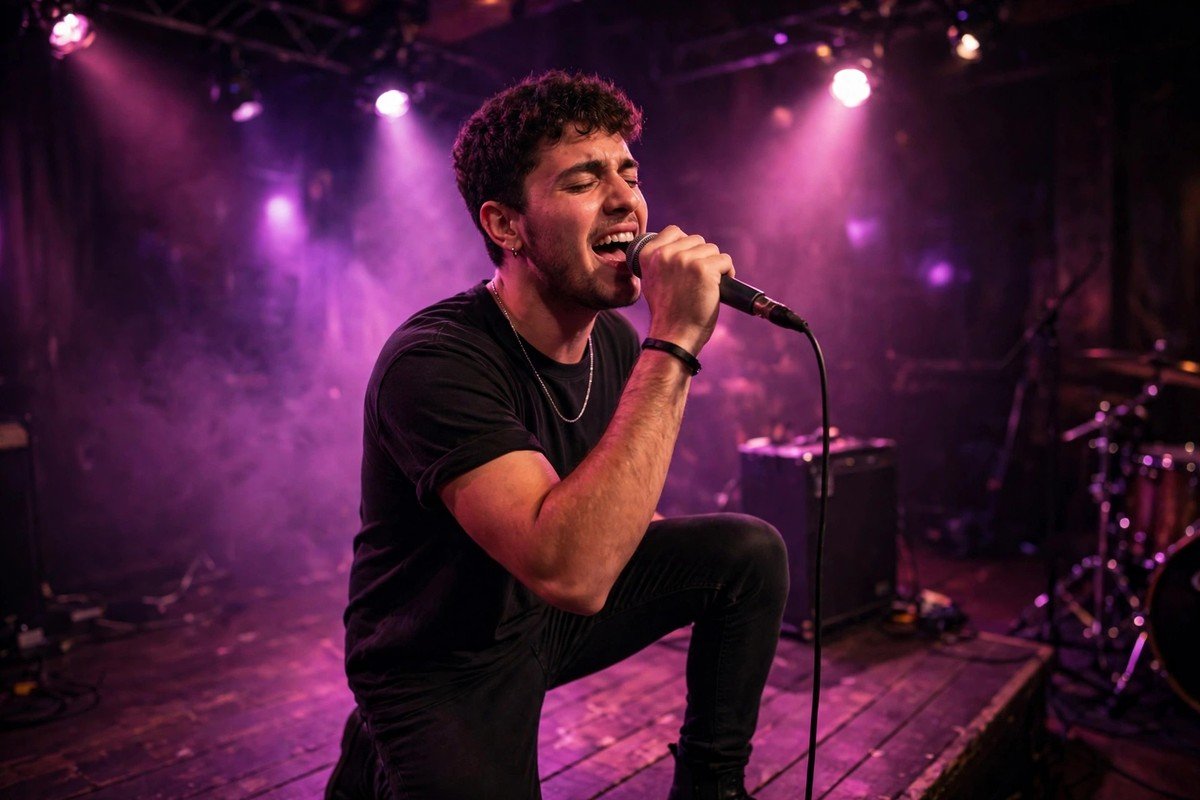
Light matters just as much, and it is often the cheapest effect available. A single warm lamp in a dark room, a window at golden hour, coloured stage lights washing across a singer’s face — these create mood that no filter can fake. Tell the brief to protect the best-lit shots and to cut away from flat, dull lighting whenever possible. A music video shot in good light will always look more expensive than it was.
Short Clips for Reels and Shorts
A full song rarely fits a short feed, so the prompt for a reel should pick the strongest fifteen or thirty seconds and build around them. Usually that means the chorus, or the one line everyone remembers. Open on the singer’s face at the loudest moment, then cut fast through the best three or four shots, and end on the line that makes people replay it.
Vertical framing changes everything about a music clip. Faces need to stay centred, the singer should fill more of the frame, and text must sit in the safe middle band where it is never hidden by buttons. Ask the editor to reframe the wide shots for vertical viewing and to keep the captions short — one phrase at a time — so the clip works on a phone held in one hand.
Habits That Flatten a Song
The most common mistake in a music video is cutting at the same speed all the way through. A song that never changes its cutting pace feels flat, no matter how good the footage is. The fix is variety: quick cuts for the chorus, long holds for the verse, a slow zoom for the bridge. The edit should breathe with the song, not march beside it.
Another habit to avoid is hiding the singer behind effects. Heavy glows, spinning transitions and constant slow motion all pull the eye away from the person the song belongs to. One or two effects, used at the same moment in each chorus, will feel intentional; a different effect on every cut will feel like panic. Trust the performance, and let the edit stay quiet enough for it to be heard.
- One cutting speed throughout: identical pacing from verse to chorus flattens the song’s natural rise and fall.
- Effects over the singer: constant glows and spins hide the performance the video exists to show.
- Lyrics that arrive late: text appearing after the word is sung breaks the connection between sound and picture.
- Ignoring the bridge: treating the quiet middle of a song like the rest wastes its best emotional moment.
- Too many locations: jumping between five places in three minutes leaves no image time to land.
- Ending without a final image: a song that fades to black with no closing shot feels unfinished.
Filming With Friends and Small Budgets
Most music videos are not made on big stages with crews; they are made by a singer, a friend holding a phone, and a good idea. That limitation can be a gift, because it forces the video to rely on the song and the performance instead of spectacle. A prompt for a low-budget shoot should ask the editor to lean on the strongest assets available: a face singing straight to camera, a familiar street at dusk, a room lit by a single lamp.
Cheap locations become convincing when the edit treats them with care. One rooftop, one stairwell, one stretch of beach — each shot in several ways, at different distances, and cut together so the place feels bigger than it is. Tell the brief to reuse the best location in three different framings rather than dragging the shoot to five new places, and to let the song’s mood, not the number of locations, carry the video. A small video made with attention will always beat a big one made in a hurry.
Frequently Asked Questions
What should a music video prompt name first?
The song’s tempo, its loudest moment, and the feeling the chorus should leave behind. Those three facts decide the cutting speed, the colours and the mood of the whole edit.
How do I ask for cuts on the beat?
Name the parts of the song where the beat should drive the cuts, usually the chorus, and ask for longer holds during the verses. Cutting on every drum hit will make the video feel frantic.
Can AI make a good lyric video?
Yes, if the brief asks for one line at a time, timed to the sung word, with the key word given extra weight. Clean, well-timed text beats fancy animation every time.
Should a music video use one location or many?
One or two locations suit most songs, because they give each image time to land. More than three places in a short song usually leaves the viewer disoriented.
How long should a music clip for social media be?
Fifteen to thirty seconds built around the chorus, or the one line everyone remembers. Open on the singer’s face at the loudest moment and end on the line that invites a replay.
Can a good music video be made on a small budget?
Yes — lean on the performance, one good location shot in several framings, and careful light. A small video made with attention will always beat a big one made in a hurry.
Final Thoughts
A music video succeeds when the pictures move the way the song feels. Build the brief around the chorus, protect the performance, and let the cutting rise and fall with the music — the song will do the rest. Name the feeling of the chorus before you write anything else, and let every cut, colour and close shot answer to it — when the brief follows the song, the video follows too.