
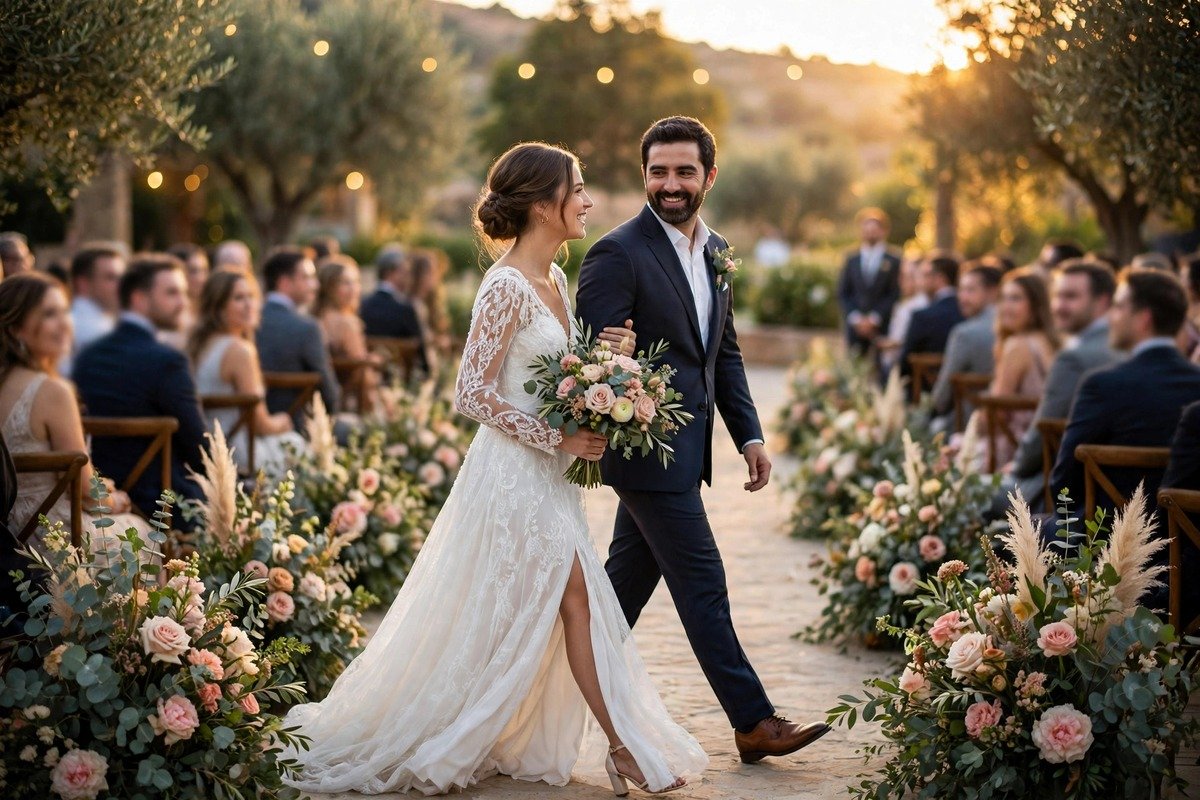
VN Template Codes for Wedding Reels
A wedding reel gets only a few seconds to make someone stop scrolling, and the edit usually decides whether they watch to the end. That is why VN template codes for wedding reels have become such a handy shortcut for couples and friends who want a polished result without spending a whole evening on a timeline. You paste a code into the VN app, drop in your own clips, and the transitions, pacing, and text style are already in place.
This guide gives you 12 codes built around real wedding moments, from the quiet minutes before the ceremony to the loud joy of the reception dance floor. Each one suits a different mood, so you can mix and match instead of forcing one style onto the whole day. You will also learn what a code is, how to paste one into the app, and how to pick the right one for each part of the day.
What Is a VN Template Code?
Think of a VN template code as a short tag that unlocks a finished edit inside the VN Video Editor app — a ready-made recipe for a reel. It already carries the pacing, the cuts, the transitions and the text placement. Enter the code and VN opens that project so you can drop in your own photos and clips.
The labels in this article, such as VN-WED-01, are illustrative labels that help you tell the styles apart while you plan. They are not verified official codes from VN, so use them as style names and pick the closest matching template inside the app. Treat a template as a starting point, not a finished product. The code gives you rhythm and structure, but your footage gives the reel its feeling. For a softer, film-like finish, pair any of these edits with a preset from our guide to the best Lightroom presets for weddings.
How to Pick a Code by Wedding Moment
Sort your footage into five piles first: getting ready, ceremony, bridal or couple entry, vows and speeches, and reception. Each pile has its own energy, and matching the template to that energy is the easiest way to make a reel feel professional. Slow moments need long holds and gentle zooms. Loud moments need quick cuts and beat drops. A fast template on a vows clip loses the words, and a slow template on a dance clip drags.
Length matters too. A bridal entry can run 20 to 30 seconds, because the walk itself carries the drama. A ceremony highlight works better at 15 to 20 seconds, using only the strongest shots. A reel for the couple can be slower and more personal, while a reel for social media needs a strong opening shot in the first two seconds, because strangers decide fast.
1. VN-WED-01 — Golden Hour Ceremony
Made for outdoor ceremonies in warm late-afternoon light. The edit uses slow crossfades, a gentle zoom on the couple at the altar, and soft lower-third text for the names and date. It suits wide shots of the venue, the first kiss, and the walk back down the aisle.
2. VN-WED-02 — Bridal Entry Slow Motion
This code slows the bridal walk down without making it feel frozen. It pairs a slow-motion clip of the entrance with a quick cut to the groom’s reaction, then back to the bride as she reaches the front. A soft blur transition hides the speed change, and the text appears only once.
3. VN-WED-03 — Vows in Focus
Vows are quiet, and this code protects that quiet. The edit holds each clip for several seconds, uses no flashy transitions, and places the spoken words as clean white text over the lower part of the frame. Keep the music low so the words stay readable.
4. VN-WED-04 — First Look Reaction
The first look is a small, private moment inside a very public day, and this code keeps it that way. It opens on the waiting partner, holds the shot through the turn, and then cuts to the first hug. Two or three clips are enough, so avoid adding text over the reaction itself.
5. VN-WED-05 — Cinematic Couple Montage
This is the all-rounder of the set, made for portraits, walking shots, and candid laughs. The code uses film-style letterbox bars, smooth speed ramps, and a slow push-in on close-ups, which gives phone footage a more polished feel. Pick 8 to 10 of your strongest clips and save the best portrait for the final frame. If you like this film-like mood, try our VN template codes for cinematic reels too.
6. VN-WED-06 — Reception Highlights Rush
The reception is where the energy changes, and this code changes with it. Fast cuts land on the music beat, confetti shots get a quick flash transition, and dance clips move in short bursts of two to three seconds. Keep the brightest, loudest clips at the front so the reel opens with energy.
7. VN-WED-07 — First Dance Spotlight
A first dance needs space, and this code gives the couple the whole frame. The edit uses a slow transition, a gentle zoom out as the dance begins, and no text until the final two seconds. It works with a single continuous clip, which is exactly why it feels so calm after the faster reception edits.
8. VN-WED-08 — Getting Ready Morning
The morning before a wedding is full of small details, and this code collects them. It moves through shoes, rings, dress details, hair and makeup, and the final look in the mirror, with quick cuts and a light, upbeat track. Each clip lasts only two to three seconds, so the reel feels busy without feeling rushed.
9. VN-WED-09 — Rings and Details Close-Up
Some of the prettiest wedding footage is also the smallest, and this code is made for close-ups. It uses slow zooms on the rings, the bouquet, the invitations, and the table settings, with a soft fade between each shot. The pacing is unhurried, which suits a quiet track and a single line of text at the end.
10. VN-WED-10 — Family and Friends Cheers
Weddings are group events, and this code celebrates the people around the couple. It cuts between laughing guests, proud parents, the wedding party walking in, and the toast, with a warm filter and upbeat music. Keep the clips honest and candid, because genuine laughs are what people rewatch.
11. VN-WED-11 — Sunset Couple Portraits
Sunset portraits are the most saved clips from many weddings, and this code treats them with care. The edit uses long holds, a slow pan across the couple, and a warm gradient that suits orange and pink skies. Order the clips from brightest to darkest so the reel feels like the sun is setting as it plays.
12. VN-WED-12 — Happily Ever After Ending
Every wedding reel needs a proper ending, and this code is the closing shot. It pulls together the send-off, the final kiss, the couple walking away, and a last wave to guests, then fades to a simple end card with the couple’s names. The music slows in the final seconds, giving the reel a finished feeling.
How to Use a VN Template Code
Open the VN Video Editor app on your phone and tap the template section on the home screen. You can download VN free from the official VN site at vlognow.me if you do not have it installed yet. Search or browse for a wedding template that matches the style in this guide, open its preview to check the pacing and music, and tap the use template button. VN will ask you to pick your own clips and photos for each slot.
After your media is in place, adjust the text. Tap each text box and replace the sample names, date, or quote with your own details, and check that nothing is cut off at the edges of the frame. Next, listen to the music. Some templates include a track you can keep, while others let you swap in a song from your own library or VN’s music list. Watch the full preview once, then export at 1080p and save a copy before you share it.
Tips for Better Wedding Reels
- Lead with your best shot. The first two seconds decide whether someone keeps watching, so open with your strongest image.
- Keep clips short and steady. Two to four seconds per clip is enough, and a still phone beats a shaky walk every time.
- Match the music to the moment. Slow songs belong with vows and entries, while upbeat tracks belong with dancing and the reception.
- Use text sparingly. Names, a date, and one short line are enough. Too much text pulls attention away from the couple.
- Export and check before posting. Watch the exported file once, check the text edges, and confirm the music starts cleanly.
- Save the original clips. Keep the unedited footage in a separate folder so you can rebuild a reel later with a different template.
Do I need to pay to use VN template codes?
No, most wedding templates in VN are free to use, and the app itself is free to download. Some templates may include premium music or effects, and VN will tell you before you export if anything needs an upgrade. If that happens, swap the music for a free track or pick a different template with the same style.
Can I use my own music with a VN wedding template?
Yes, in most cases you can replace the template music with a song of your own. Open the template, find the music track on the timeline, and swap it for a track from your phone or VN’s music library. The cuts were timed to the original track, so a song with a very different tempo may make some cuts land early or late.
How many clips do I need for a wedding reel?
Most wedding reels work well with 6 to 12 clips, depending on the template and the moment. A vows reel may need only 3 or 4 strong clips, while a reception highlight can use 12 or more short ones. Quality matters more than quantity: 8 sharp, well-lit clips beat 20 average ones.
Can I use the same template for the ceremony and the reception?
You can, but the reel will usually feel stronger if you do not. Ceremony footage is slow and emotional, while reception footage is fast and loud, and one template rarely suits both. Use a calm code such as VN-WED-01 or VN-WED-03 for the ceremony, then switch to a faster code such as VN-WED-06 for the reception.
Will a VN template make my phone footage look professional?
A template improves the structure, pacing, and timing, which are the parts that most often make phone footage feel rough. It cannot fix very dark, blurry, or shaky clips, so start with the steadiest and brightest footage you have. Clean your lens before the day starts, hold the phone with both hands, and shoot a little more footage than you think you need.
Your Wedding, Edited in an Evening
A wedding day passes fast, but a good reel lets you return to it whenever you like. Start with one moment, pick the code that fits it, and build from there. The ceremony, the entry, the vows, and the reception each deserve their own edit, and the 12 codes in this guide give you a simple place to begin. Paste a code into VN, add your own clips, check the text and the music, and export.





One Comment