
AI Photo Prompts for Wedding Photography
A wedding day moves fast. One minute the bride is laughing with her friends while she gets ready, the next minute the couple is walking back down the aisle, and by the time the dancing starts, the light has completely changed. A good photographer captures those moments as they happen, but a great edit makes them feel timeless. That is where AI photo prompts for wedding photography come in. Instead of guessing at settings, you describe the exact mood you want in plain words, and the AI helps you get there.
This guide is for photographers, couples who edit their own photos, and anyone who wants wedding pictures that look romantic without looking overdone. You will find copy-ready prompts for portraits, ceremonies, details, and candid moments, plus a simple workflow you can follow from the first look to the last dance.
Why Prompts Work So Well for Weddings
Weddings are not like studio shoots. The light changes every hour, the locations change every twenty minutes, and you cannot ask the couple to repeat the vows because the exposure was wrong. A prompt gives you a consistent target. When you write, for example, warm golden light, soft skin tones, and a calm romantic mood, you are telling the AI what the final image should feel like, not just what it should look like.
Prompts also save time in a very practical way. A typical wedding gallery has eight hundred to twelve hundred images. With a handful of strong prompts for the main kinds of shots, you can move through the gallery in groups: all the getting-ready photos get one treatment, all the portraits get another, and all the reception photos get a third. The result is a gallery that feels coherent from start to finish.
Twelve Copy-Ready Prompts for Every Part of the Day
Use these prompts as starting points. Replace the words in brackets with your own details, such as the venue or the season.
1. Getting Ready
Prompt: Enhance this getting-ready photo with soft morning light, natural skin tones, gentle warmth, and a calm, intimate mood. Keep the details of the dress, jewellery, and makeup sharp, and soften the background slightly so the focus stays on the person.
This works because getting-ready rooms are often small and lit by mixed light. The prompt asks for calm and clarity, which is exactly what the moment needs.
2. The First Look
Prompt: Edit this first-look photo for an emotional, cinematic feel. Warm highlights, soft shadows, natural colour, and a slight glow around the couple. Preserve the genuine expression and the texture of the clothing.
First looks are about reaction, not posing. The prompt protects the expression first and adds mood second.
3. The Ceremony
Prompt: Refine this ceremony photo with balanced exposure, true-to-life colours, and soft, even light on faces. Reduce harsh shadows from overhead sun, keep the whites of the dress clean, and maintain a respectful, timeless tone.
Outdoor ceremonies often have strong sunlight and deep shade in the same frame. This prompt asks the AI to balance those extremes without flattening the image.
4. Couple Portraits in Golden Hour
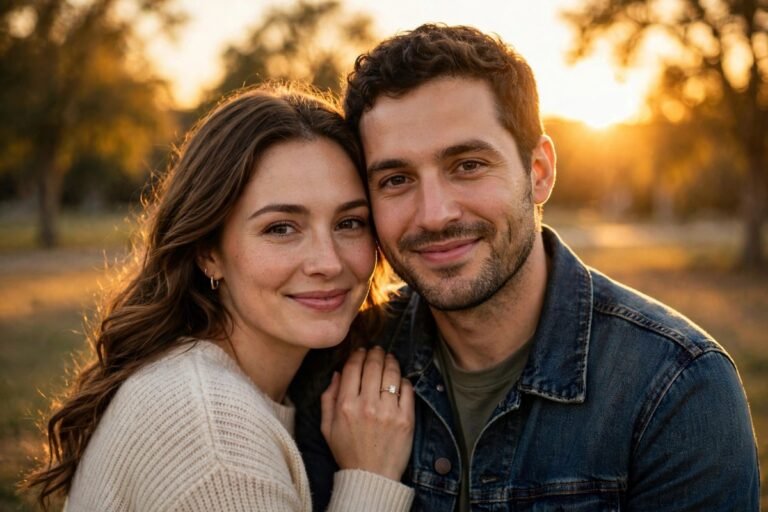
Prompt: Transform this golden-hour portrait into a warm, romantic image with glowing backlight, soft skin, rich but natural colour, and a dreamy background blur. Keep the couple sharp and the horizon level.
Golden hour is forgiving, but it can also turn skin orange if the edit is too heavy. The words rich but natural colour tell the AI to keep the warmth without pushing it too far.
5. Group and Family Photos
Prompt: Edit this group photo for clarity and even light across every face. Correct mixed lighting, sharpen details, keep skin tones consistent from person to person, and preserve a bright, joyful mood.
Group photos fail when one person is bright and another is in shadow. This prompt focuses on evenness first, which matters more than style in a photo the family will print.
6. Rings, Flowers, and Details
Prompt: Enhance this detail photo with crisp focus, soft light, and rich colour. Make the metal of the rings shine gently, keep the petals of the flowers soft and natural, and blur the background into a smooth, elegant wash.
Detail shots are where couples see the money they spent on flowers and rings. A prompt that names each material helps the AI treat them differently.
7. The First Dance
Prompt: Edit this first-dance photo for a romantic, low-light mood. Warm ambient light, soft glow from string lights, gentle motion in the background, and sharp focus on the couple. Keep skin tones warm and natural.
Reception lighting is usually warm, dim, and uneven. This prompt embraces that warmth instead of fighting it.
8. Candid Laughter
Prompt: Enhance this candid photo with natural colour, soft contrast, and a bright, happy feeling. Keep the laughter genuine, preserve the texture of hair and clothing, and avoid any artificial smoothing of skin.
Candid photos lose their charm when skin is smoothed too much. The last sentence in this prompt is a guardrail. It tells the AI to leave real texture alone, which keeps the photo honest.
9. Black and White Portraits
Prompt: Convert this portrait to elegant black and white with deep blacks, bright whites, and smooth grey tones in between. Emphasise emotion, light, and texture, and keep the contrast gentle rather than harsh.
Not every photo works in black and white, but the ones that do often become favourites. Gentle contrast is the key phrase here. Harsh black and white can make a wedding look dramatic in the wrong way.
10. Rainy Day Weddings
Prompt: Edit this rainy-day wedding photo with a soft, romantic mood. Cool, clean light, gentle contrast, and a slight glow on wet surfaces. Keep the couple warm and bright against the cooler background.
11. Sunset and Night Portraits
Prompt: Enhance this sunset portrait with rich colour in the sky, warm light on the couple, and a balanced exposure that keeps both the sky and the faces visible. Add a subtle cinematic glow without losing detail.
12. The Send-Off
Prompt: Edit this send-off photo for a joyful, celebratory mood. Bright, warm light, lively colour, and sharp focus on the couple as they move through the crowd. Keep the sparklers or confetti bright but natural.
Quick-Pick Table: Match the Prompt to the Moment
If you are editing in a hurry, start here. Find the moment, use the style listed, and adjust only if the photo needs it.
- Getting ready: soft morning light, calm and intimate, natural skin tones.
- Ceremony: balanced exposure, true colour, timeless and respectful.
- Golden-hour portraits: warm glow, dreamy blur, romantic and cinematic.
- Group photos: even light, consistent skin tones, bright and joyful.
- Details: crisp focus, rich colour, elegant background blur.
- First dance: warm ambient light, soft glow, sharp focus on the couple.
- Candids: natural colour, soft contrast, real texture preserved.
- Black and white: gentle contrast, deep blacks, emotion first.
Keep this list in your editing notes. After two or three weddings, the pairings will become automatic.
A Simple Editing Workflow for the Whole Gallery
Start by sorting the gallery into five groups: getting ready, ceremony, portraits, details, and reception. Do not edit in the order the photos were taken. Edit in groups, because each group shares the same light and the same mood. Apply the matching prompt to the first photo in a group, check the result carefully, and only then apply the same approach to the rest of the group.
Next, look at skin tones across the whole gallery. Open a portrait from the morning, one from the afternoon, and one from the evening side by side. They should look like the same people in different light, not like three different edits. If one is too warm or too cool, adjust that group prompt and reapply it.
For couples editing their own photos, the same workflow applies on a smaller scale. Pick your twenty favourite images first, sort them into the five groups above, and edit one group at a time. If you want more ideas for portraits beyond weddings, see our guide to AI photo prompts for professional headshots for a similar approach to faces and light.
Mistakes to Avoid With Wedding Prompts
The most common mistake is over-editing. A prompt that asks for dramatic, ultra-vivid, glowing, and cinematic all at once will usually produce an image that looks impressive for five seconds and tired after five minutes. Weddings need restraint. Choose one mood word and one light word per prompt, and let the photo breathe. If you want drama, add it in a single black and white conversion, not in every colour image.
The second mistake is using the same prompt for every photo. A golden-hour prompt will not fix a dark reception photo, and a bright airy prompt will wash out a moody ceremony shot. Match the prompt to the light you actually had, not the light you wish you had.
The third mistake is forgetting the couple. If an edit makes the dress look perfect but the bride look like a stranger, it has failed. Always check faces first, then clothing, then background.
Frequently Asked Questions
Can beginners use these prompts?
Yes. You do not need to understand every editing control to use a prompt well. Start with one prompt, apply it to one photo, and compare the before and after. Change one word at a time and watch what changes.
Should every wedding use the same style?
No. A beach wedding, a church wedding, and a garden wedding have different light, different colours, and different moods. Keep your prompt structure the same, but change the mood words to match the venue and the couple.
How do I keep skin tones natural?
Name skin tones in every portrait prompt. Use phrases such as natural skin tones, soft skin, and true-to-life colour. Avoid words such as flawless or perfect, which often lead the AI to smooth skin too much.
Can I use these prompts in Presets Editor?
Yes. Paste the prompt into your editing tool, apply it to a test photo, and save the version you like as your own preset for that kind of shot. Over time, you will build a personal set of wedding presets that match your style, and each new wedding will start from a stronger place. For wedding-specific colour starting points, our best Lightroom presets for weddings pair well with the prompts in this guide.
Wedding photography is ultimately about trust. The couple trusts you with a day they cannot repeat, and they trust your edits to show that day honestly. Good prompts help you honour that trust by giving you a clear, repeatable way to bring out the warmth and joy in every image.

3 Comments