
Best Lightroom Presets for Newborn Photography
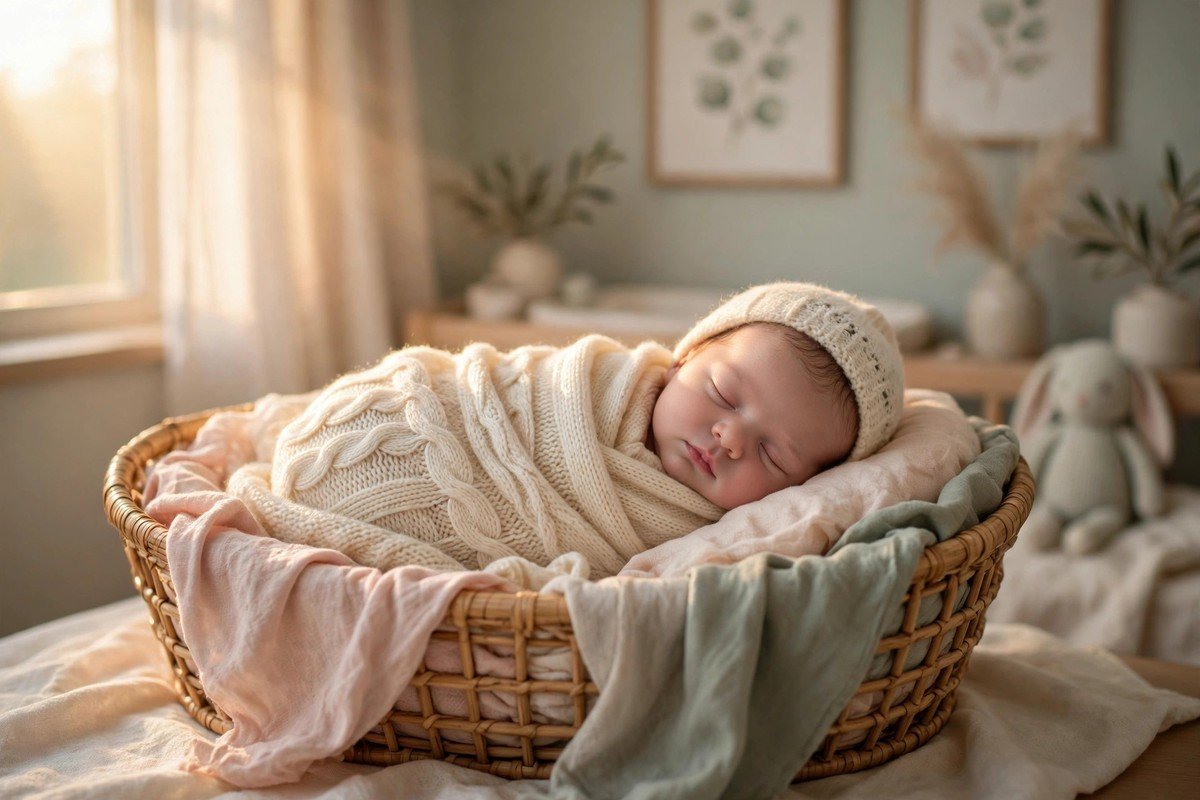
Newborn photos are some of the most precious pictures a family will ever own, and they deserve an edit that feels just as gentle as the baby in the frame. Lightroom presets for newborn photography are made for exactly that job: they soften skin, warm up whites, and keep colors calm so the focus stays on tiny fingers, sleepy smiles, and quiet moments instead of on heavy editing.
Regular portrait presets can be too strong for a newborn. They often add contrast, sharpen skin texture, or push colors toward orange and pink, and on a baby that looks harsh in seconds. The presets in this guide take the opposite approach. They are light, clean, and forgiving, and they work in a bright studio, near a nursery window, or in a cozy living room.
Why Newborn Skin Needs a Light Touch
A newborn’s skin is nothing like adult skin in a photo. It can show redness, a little blotchiness, or a yellow tint in the first days, and all of that is completely normal. Heavy editing makes those things stand out more, not less. A good newborn preset lowers contrast, lifts the shadows a little, and smooths color shifts without turning the baby into a plastic doll.
The goal is not perfect skin. The goal is honest, tender skin that still looks like a real baby. Soft whites help too. Blankets, wraps, and bonnets often come in cream, ivory, and pale gray, and a preset that keeps those tones clean instead of yellow or blue makes the whole image feel calm. When the whites are right and the skin is warm but not orange, the photo already feels finished.
1. Creamy Morning Light
This preset is built for photos taken near a window in the morning. It adds a soft golden warmth, lifts the shadows gently, and keeps the highlights from blowing out on pale blankets. Skin looks smooth and even, and white wraps stay bright without turning gray. It is a lovely starting point for lifestyle newborn sessions at home.
2. Soft Peach Skin
Soft Peach Skin evens out redness without removing the natural pink in a baby’s cheeks. It leans slightly warm, softens the midtones, and keeps the image feeling fresh rather than flat. Use it when the skin looks a little blotchy straight out of camera and you want a calm, healthy glow.
3. Barely There Pastel
Pastel props are everywhere in newborn photography, from mint wraps to blush headbands, and this preset keeps those colors delicate. It lowers saturation just enough to stop pinks and blues from shouting, while keeping the skin natural. The result is airy and sweet, perfect for classic posed shots.
4. Warm Ivory Wrap
Warm Ivory Wrap is made for cream and ivory setups. It warms the whites slightly, adds softness to the shadows, and keeps the image from looking cold or clinical. It works beautifully on photos with knitted blankets, fur rugs, and wooden props.
5. Sleepy Neutral Tones
Some of the best newborn photos are quiet ones: a sleeping baby, a plain wrap, no bright props at all. This preset leans into that mood with muted, neutral tones, very low contrast, and a gentle fade in the blacks. It gives the image a calm, timeless feel.
6. Gentle Rose Blush
Gentle Rose Blush adds the smallest hint of pink to the skin and the shadows, just enough to make a sleeping baby look warm and alive. It never pushes the image into a pink cast, which is the trap with many rosy presets. Try it on photos with blush wraps, floral headbands, or a soft pink backdrop for a tender, feminine finish.
7. Clean Studio White
Studio newborn photos need clean whites and even light, and this preset delivers both. It brightens the background without washing out the baby, keeps skin tones true, and adds a very light crispness so tiny details like eyelashes and fingers stay visible. It is ideal for photographers who shoot against a white or light gray backdrop.
8. Golden Hour Nursery
When late afternoon sun comes through a nursery window, this preset makes the most of it. It deepens the warmth a little, softens the highlights, and adds a gentle glow that feels like a quiet evening at home. It suits lifestyle sessions best, especially photos of parents holding the baby in warm window light.
9. Soft Sage and Cream
Sage green is a favorite for newborn setups because it is calm and natural, and this preset is tuned for it. It keeps greens muted and earthy, warms the cream tones beside them, and keeps the baby’s skin from picking up a green tint. Use it for nature-inspired setups with greenery, wooden baskets, and linen wraps.
10. Dreamy Low Contrast
Dreamy Low Contrast is the softest preset on this list. It lifts the blacks, lowers clarity slightly, and wraps the whole image in a hazy, dreamlike feel. It is wonderful for close-up shots of tiny hands, feet, and eyelashes, where you want the viewer to feel the softness of the moment rather than notice sharp detail.
11. Natural Skin Keeper
Some presets change skin color so much that the baby no longer looks like the baby. Natural Skin Keeper does the opposite: it protects the skin tones first and adjusts everything else around them. Redness is calmed, yellow tones are balanced, and the rest of the image stays true. It is the safest choice when you are editing photos for parents who want the baby to look exactly like themselves.
12. Timeless Film Softness
This preset borrows the soft, slightly faded feel of film photography. Colors are gentle, grain is very light, and contrast stays low, so the image feels like a keepsake from years ago. It is a great pick for parents who want their newborn album to feel classic rather than trendy.
How to Pick the Right Preset for Your Newborn Photos
Start with the light in your photo, not with the preset name. A bright window shot needs a different edit from a dim nursery photo, and a studio shot needs something different again. Pick the preset that matches your lighting first, then adjust the exposure and white balance by small amounts until the skin looks right.
Next, look at the colors in the scene. If the wrap is blush pink, a pastel preset will feel natural; if the setup is all cream and wood, a warm ivory preset will fit better. Always check the skin first. If the cheeks turn orange, the preset is too strong. Lower its strength or try a softer one. For more ideas on soft, flattering edits, see our guide to the best Lightroom presets for portraits, which shares many of the same skin-friendly principles.
How to Install and Use These Presets in Lightroom
Getting a preset into Lightroom is quick once you have done it once. In the desktop app, head to Develop, open the Presets panel on the left, and use the import option to bring in the file. Phones work a bit differently, so our guide on how to install Lightroom presets on mobile walks through the phone steps if that is where you edit.
Once a preset is applied, do not stop there. Newborn photos almost always need a small tweak after the preset: a touch more exposure, a slight white balance shift, or a small reduction in the preset’s strength. Use the Amount slider in Lightroom to dial the effect back to around 70 to 90 percent if the edit feels too strong. You can learn more about how presets work and how they differ from simple filters in our comparison of Lightroom presets vs filters. For the official app and the latest version, visit Adobe Lightroom.
Tips for Editing Newborn Photos Safely
- Keep the strength low: A preset at full strength is often too much for baby skin, so start at 70 to 80 percent and only go higher if the photo still looks natural.
- Fix white balance first: Set the whites correctly before judging the preset, because a wrong white balance can make healthy skin look yellow or blue.
- Soften redness, do not erase it: Use the orange and red saturation sliders gently to calm blotchy cheeks while keeping a little natural pink.
- Protect the highlights: White wraps and blankets blow out easily, so pull the highlights down a little instead of adding more brightness.
- Avoid heavy sharpening: Newborn skin should look soft, so keep sharpening and clarity low and let the tiny details speak for themselves.
- Edit in a calm order: Apply the preset, fix exposure and white balance, check the skin, then stop. Over-editing is the fastest way to ruin a gentle photo.
Do Newborn Presets Work on Photos Taken With a Phone?
Yes, they do. Modern phones take sharp, well-exposed newborn photos, especially in good window light, and a gentle preset works just as well on a phone photo as on a camera photo. Just be careful with the strength, because phone photos can already have strong processing baked in.
Should I Edit Newborn Skin to Look Perfect?
No, and parents usually prefer it that way. A little redness, a flaky patch, or a tiny scratch is part of a newborn’s first days, and removing every mark makes the photo feel fake. Calm the color and soften the harshness, but leave the baby looking like a real baby. That honest look is what families treasure years later.
What Is the Best Preset for a Sleeping Newborn?
A low-contrast, warm preset is usually the best choice for a sleeping baby. Sleepy Neutral Tones or Dreamy Low Contrast both keep the image calm and quiet, which matches the mood of the moment. Avoid presets with strong contrast or deep shadows, because they can make a peaceful photo feel tense and dramatic.
Can I Use Wedding or Portrait Presets for Newborn Photos?
You can, but check the skin carefully first. Some wedding presets are soft and warm enough to work well, while others add too much contrast or warmth for a baby. Portrait presets are often a closer match, but newborn-specific presets are tuned for the redness and delicate tones that only babies have, so they usually need less fixing afterward.
A Gentle Finish for Your Tiniest Subjects
Newborn photography is not about showing off editing skills. It is about protecting a quiet, fleeting moment and presenting it in the softest possible light. Pick a preset that matches your light and your colors, keep the strength low, check the skin before anything else, and stop editing while the photo still feels natural. Do that, and the families who see these pictures will remember the baby, not the edit, which is exactly how it should be.






One Comment