AI Video Editing Prompts for Food Videos: Mouth-Watering Edits for Recipes and Cafes
Quick answer: The best AI video editing prompts for food videos ask for warm colour, tight close-ups, and a steady pace that lets each step of the recipe breathe. A good prompt names the dish, the key moments to keep, and the platform, so the finished edit looks delicious instead of rushed. Open with the finished plate, show the cooking in clear order, and end with a shot that makes viewers want to taste it.
What Makes a Food Video Mouth-Watering
A food video works when the viewer can almost taste the dish through the screen. The colours should look fresh and warm, the steam should rise at the right moment, and the texture of the food should be clear enough to imagine. When a sauce glistens, a crust crackles, or cheese stretches in a slow pull, the viewer feels hungry, and that hunger is what makes them watch to the end and save the recipe.
Appetite in a food edit comes from patience as much as from colour. A clip cut too fast hides the food, while a clip that lingers too long on one step feels dull. The trick is to hold the camera on the moments that matter, such as the pour, the flip, or the first cut into a baked dish, and to move quickly through the plain steps in between. When the edit respects the food, the whole video feels delicious.
How AI Prompting Works for Food Edits
A prompt is simply a written brief for the edit, in everyday words. You tell the software what footage exists, what warmth the dish should stir, and what the finished clip must achieve, and it cuts accordingly. A sharper brief lands nearer the plate you pictured; loose wording hands back a loose edit. So pin down the dish, the duration, and the feeling first.
A strong food prompt usually has four parts. First, it names the dish and the key moments to keep, such as the chopping, the cooking, and the final plating. Second, it sets the pace, for example slow and calm for a baking video or quick and lively for a street food reel. Third, it describes the look, such as warm tones, natural light, or a clean kitchen background. Last, it fixes the destination and the running time, because a vertical reel and a longer recipe walkthrough call for very different cutting.
Prompts for Recipe Walkthroughs
A recipe walkthrough needs a clear order above all else. Viewers follow the steps as they cook along, so a shuffled edit will confuse them and spoil the dish. A good prompt asks the editor to keep the steps in the order they were filmed, with a short caption for each one, and to cut out the waiting time between steps without losing the sense of the process.
Try a prompt like this: “Cut this 20-minute recipe into a 90-second walkthrough. Keep every step in order, add a caption with the ingredient amount at each step, hold the camera on the pan when the food starts to sizzle, and finish with a slow shot of the plated dish.” Wording of that kind lands well because it names what stays in, what comes out, and the feeling the finished plate shot should leave behind.
For a quick weeknight recipe, ask for a tighter shape. A prompt might read: “Turn this cooking session into a 45-second video in three parts: prep, cooking, and serving. Use one caption per part, keep the chopping quick, and spend the most time on the finished plate.” A clear shape turns a long cooking session into a video that is easy to follow and hard to scroll past.
Prompts for Cafe and Restaurant Reels
Cafe reels are about atmosphere as much as food. The clink of a cup, the soft light through a window, and the calm of a morning table all sell the place before the dish even appears. A good prompt asks the editor to open with the room, then move to the food, so the viewer feels the cafe first and craves the dish second.
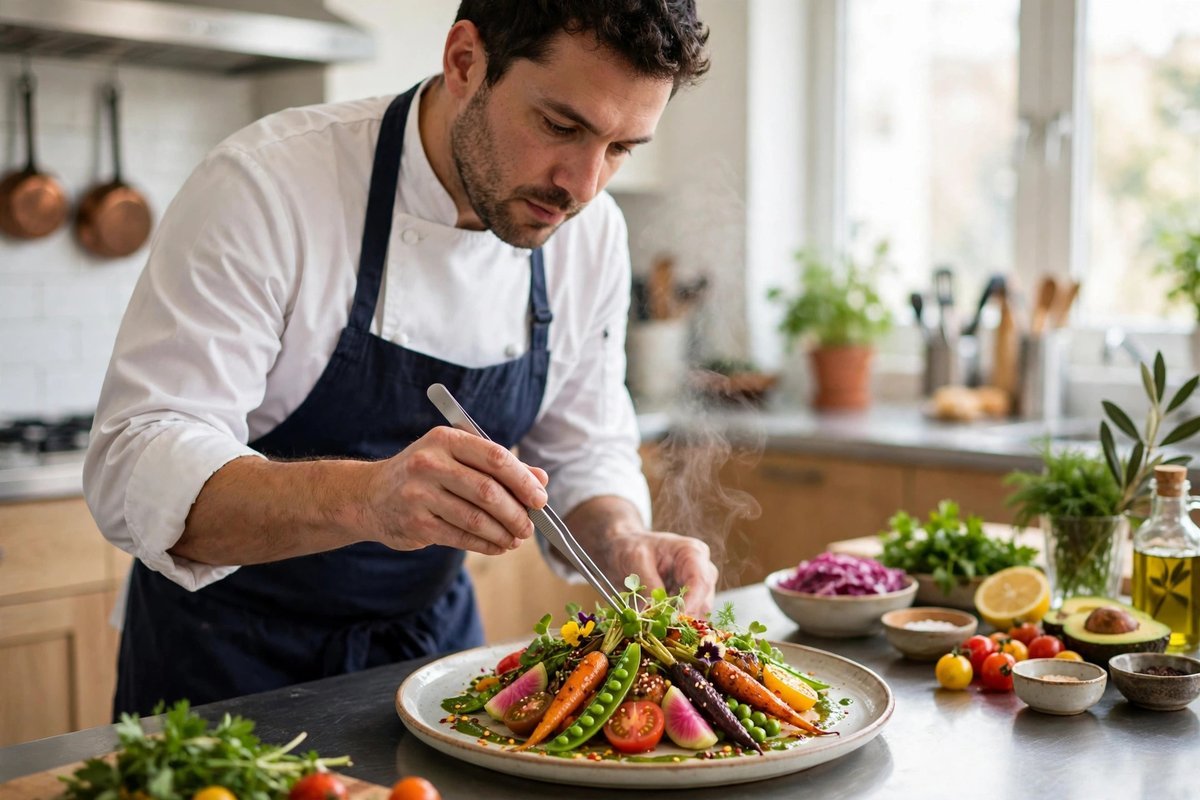
Restaurant videos need a different shape. A prompt for a short restaurant reel might say: “Edit these clips into a 30-second reel. Open with the signature dish arriving at the table, cut to the chef plating in the kitchen, add the name of the dish in a simple caption, and end with the restaurant name and the dining room.” The plate itself carries the message, so resist extra flourishes and give the dish room to shine. The cooking video prompts on this site cover more kitchen ideas in the same style.
Prompts for Close-Ups, Steam, and Sizzle Shots
Close-ups are the heart of food video. A tight shot of a sauce being poured or a knife cutting through a soft cake tells the viewer more than a wide shot of the whole kitchen. A good prompt asks for close-ups at the exact moments of change: the pour, the flip, the crack of a crust, and the first spoonful out of the pot.
Steam and sizzle are the hardest moments to catch, because they pass in seconds. Ask the tool to find the frame where the steam is thickest and hold it a beat longer than the other shots. A prompt might say: “Slow down the clip where the soup is ladled into the bowl, keep the steam visible, and add no caption over the bowl.” Small holds like this make the food feel hot, fresh, and real.
Matching Colour, Music, and Pace to the Dish
Colour is the first thing a viewer notices in a food video. Warm tones make bread, stews, and roasted dishes look inviting, while fresh greens and bright citrus need clean, natural light to look crisp. Your prompt should name the feeling of the colour, such as warm and golden or bright and fresh, so the grade supports the dish instead of fighting it.
Music sets the mood of the cooking. A gentle track suits a slow baking video, while a lively track suits a street food tour or a busy kitchen. Name the mood in the prompt, because a calm track under a fast stir-fry will make the whole edit feel out of step.
Tempo is where first-timers most often stumble. Racing through every step might seem lively, yet a recipe clip earns its charm from change of gear: brisk chopping shots early on, then an unhurried gaze at the completed plate. Ask for several quiet seconds on that last image, since it is the picture viewers carry away with them. The vlog editing prompts guide has useful ideas for longer food videos where pacing matters even more.
Prompts for Baking and Slow Food Videos
Baking videos reward a calm and patient edit. The dough rising, the cake browning, and the icing going on are all slow changes, and rushing them ruins the pleasure of watching. A good prompt asks the editor to use gentle transitions, longer holds, and soft captions that name each stage without crowding the frame.
Slow food videos, such as a long stew or a roast, need a clear sense of time passing. Ask the tool to show the start and the finish side by side, or to add a simple caption with the cooking time, so the viewer understands the wait was worth it. The finished dish should get the longest hold in the whole video, because it is the reward for the patience the edit has shown.
Mistakes That Make Food Look Flat
The most common mistake is hiding the food behind effects. When every clip has a filter, a spin, or a zoom, the dish disappears behind the decoration. One clean look used throughout the video will make the food stand out far more than five different effects competing for attention.
Another mistake is cutting out the cooking itself. A video that jumps from raw ingredients to a finished plate skips the part viewers came to see. Keep the key moments of the process, such as the stir, the flip, and the seasoning, even if each one lasts only a second or two. Those small moments are what make a recipe feel real and worth trying.
- Hiding food behind effects: filters and spins distract from the dish instead of showing it off.
- Skipping the cooking: jumping from raw ingredients to the finished plate leaves out the best part.
- Flat, cold colour: a grey or blue grade makes fresh food look stale and uninviting.
- Captions over the dish: text across the plate hides the food at the exact moment it matters.
- Music fighting the mood: a frantic track under a calm baking video feels wrong from the start.
- Rushing the final shot: a quick flash of the finished dish gives viewers nothing to remember.
Frequently Asked Questions
What belongs in a prompt for editing a food video?
Begin with the dish and the feeling it should spark, then add the running time and where it will be posted. Then note the shots to hold — the sizzle, the pour, the plating — and the dull stretches to trim. Those specifics let the editor shape a clip that tastes as good as it looks.
How long should a food reel edited with AI be?
For a reel, aim for under a minute: that window covers the cooking without testing patience. A full recipe walkthrough can run longer, as long as each step follows the last in plain order.
Can AI editing make steam and sizzle stand out?
Yes — call out the precise sizzle or pour in the brief and ask for it to be held a touch longer. Reserving that treatment for one moment keeps it vivid; stretching every shot makes the edit sluggish.
Do I need to mention colour in my food editing prompt?
It helps a lot, because colour decides whether food looks fresh or flat. Name the feeling you want, such as warm and golden or bright and fresh, so the grade matches the dish.
How do I keep captions readable in a food video?
Go brief and bold: a few words per line, a clean heavy typeface, and text kept well away from the plate. Terse captions stay readable while the edit moves quickly.
Final Thoughts
A recipe clip earns its appetite from honesty: real steam, real timing, and a plate shown the way it left the kitchen. Sketch the brief before touching the timeline, hold the shots that make mouths water, and the finished video will feel as warm as the dish it presents.